Confirm

LED Screens for an Esports Arena: Built for the Stream and the Room

12.11.2026

An esports arena screen has two audiences at once: the crowd in the room and everyone watching the broadcast through a camera. A wall that looks superb to the naked eye can shimmer, band or show moire the moment a lens points at it, and nobody wants to find that out during a final. Away from the tournament stage the brief changes again, because a team HQ and a gaming bar ask different things of a screen.

This guide covers the camera test, venue types, screen watching and the signal chain, then eight supplier questions, using published spec-table figures and documented projects.
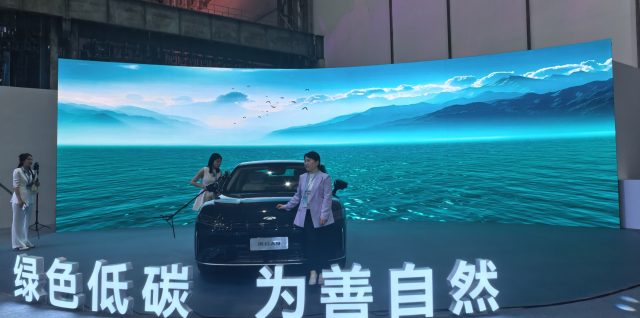
Curved LED screen behind a car on a Chery exhibition stand.

What makes an esports arena screen different

In its feature on esports venues, Urban Land (the Urban Land Institute’s magazine) describes an esports arena as part cinema, part concert hall: players on a stage, an oversized screen behind them showing the game action, and seating fanning out in front. It calls the screen the dominant showcase of the action, so esports venue design starts with the wall and the sightlines to it.

Operators use esports venue, gaming arena and esports gaming center almost interchangeably, so it helps to specify by job: a live esports tournament stage, a team HQ or esports team house used daily, and a social gaming venue such as a bar. INFiLED’s WP, DBmk2, ART and MV series each suit one of those jobs.

Four things set these rooms apart from an ordinary event screen: a camera is often the closest viewer, the content is full of small text and fast motion, the screen must never tell a player about the opponent, and in a HQ or bar it runs for hours daily.

The camera test: refresh rate, pitch and motion

Broadcast engineering press defines refresh rate for an LED wall as the rate of pulse width modulation, typically 3,840 or 7,680 Hz, and says it must be high enough to avoid flicker or visible segmentation, especially when a camera pans or tilts quickly. The Broadcast Bridge’s video wall guide adds that the black gaps between emitters worsen moire, and that a finer pitch helps at some cost to contrast.

Read the refresh figure per model, not per series: the WP table lists 3,840 Hz for its Lite and flip-chip models and 7,680 Hz for its SSM models, and the DBmk2 table mixes both.

Refresh rate is only the first filter. Scan ratio, phase and genlock, shutter and frame rate all decide whether a wall is clean on camera. Our guide to flicker, moire and camera issues covers the mechanics and ends with the advice that matters here: test with your own cameras, at every frame rate and shutter you will use, from the real camera positions.

Test brightness too. A wall rated for sunlight runs far below its peak in a dark arena, and the same guide warns that dropping brightness a stop or two leaves fewer levels between black and white, which can show as banding.

Fast motion

Fast in-game camera turns expose a chain that drops or repeats frames in a way a static scoreboard never will. Confirm that the processor and every link handle your game feed’s frame rate, judged on live gameplay, not a test card. The series pages list DVI, HDMI, DP and SDI inputs.

Small text

Kill feeds, economy numbers and scoreboards are small text, and legibility depends on pitch against the closest viewer, which may be a lens rather than the front row. Fix the smallest text the production will show and check it at the wall’s real resolution. Most game feeds are 16:9 and few walls are, so someone must decide how the feed sits in the canvas.

Three venues, three briefs

Figures come from each series’ spec table, not the headline claims.

SpecTournament stageTeam HQGaming bar or social venue
Main priorityCamera performance, large IMAG, fast load-inDaily use, legible small text, quiet runningBright-room readability, wide coverage, easy upkeep
Pixel pitchART 3.9 to 10.4 mm; DBmk2 1.56 to 2.6 mmWP 1.25 to 3.12 mmMV indoor 2.97 to 5.95 mm
Refresh rateART 3,840 Hz; DBmk2 3,840 or 7,680 HzWP 3,840 Hz; 7,680 Hz on SSM modelsMV 3,840 Hz
BrightnessART 4,000-5,000 nits; DBmk2 1,000-2,000 nitsWP 800-1,200 nitsMV indoor 1,000-1,200 nits
Viewing angleART 160°/155° (3.9 mm), 160°/98° (4.6 mm); DBmk2 160°/160°WP 160°/160°; one SSM model 170°/160°MV indoor 160°/160°


Tournament stage. Our nearest evidence is the Esports World Cup in Riyadh in 2025, and it needs stating precisely: INFiLED ART 4.6 screens served the four afterparty concerts, not the tournament stage. The Esports World Cup afterparty case study lists 332 m² across 11 elements: a 140 m² central screen (3,024 by 2,160 pixels), two 76 m² IMAG screens showing live camera feeds, and eight 5 m² columns. The production team chose the ART touring LED series for touring capability, easy setup and structural quality. For a compact indoor esports stage with close camera work, start with DBmk2 indoor LED panels and their 7,680 Hz models.

Team HQ. MOUZ’s Hamburg base is the clearest example. The MOUZ HQ LED wall project uses the Lite version of the WP Series wall panels at 2.5 mm, up to 16.8 m long. Players train under arena conditions with light and sound effects, and the page says the screen faces Hamburg Central Station, in front of about 200,000 people a day. A wall that runs all day raises heat, noise and servicing. The WP page lists front service and INFiLED’s corporate material describes low heat and noise with ColdLED, but neither gives a measured noise figure, so ask for one.

Gaming bar or social gaming venue. Star Millenium in Le Havre is a restaurant and sports bar with a gaming zone, and its screens show live sport, so treat it as an analogue. The problems match: bright lighting, oblique viewing, long hours and staff who are not display engineers. The Star Millenium sports bar project uses the MV Series indoors: a 6 by 3.5 m main screen at 2,016 by 1,176 pixels, plus suspended four-sided cubes. That resolution works out at roughly 3 mm pitch, matching the 2.97 mm indoor MV option. A light sensor adjusts brightness to the room.

Campus esports. A college esports arena or campus esports gaming center usually runs the HQ brief most days and the tournament brief a few times a year. Specify for the daily job and cover big shows with temporary screens from a production company.

Screen watching, stage layout and the AV system

A player who can see a screen showing the match can read what the opponent has not chosen to reveal, so organisers treat it as a rules problem and fix it with layout and control of the feed, not a clever panel.

VICE’s report on a Wembley final, a Counter-Strike event in London in 2016, records that a small monitor on a camera jib showing the live game was removed immediately, and that players sat in soundproof booths. Every surface that can show the match belongs in the sightline plan, including IMAG screens, columns and camera monitors: draw a line from every player position to every screen and fix anything it touches.

Do not treat viewing angle as security. The audience needs a wide angle, so protection has to come from geometry and from information control: the observer, who runs the in-game camera, usually decides what the room sees. The wall shows whatever it is given.

The esports arena AV system is therefore a broadcast chain with a wall at the end: game PCs, the observer position, a production mixer adding cameras, graphics and replays, then an LED processor feeding the cabinets. Put redundancy at each hand-off: a second signal path, a backup processor, spare modules and remote monitoring. The same VICE report shows why. One match had four pauses because a PC kept crashing, and the organisers had backups ready to swap in.

Esports venue requirements: eight questions to ask a supplier

Put these to any supplier before sign-off, ours included.

  1. Which exact model, and what refresh rate and scan ratio? Quote the spec-table row, not the series headline.
  2. Has it been tested with our cameras? Include lenses, positions, frame rates, shutter settings, genlock and phase.
  3. How does it look at running brightness? Check low levels for banding.
  4. What is the pitch against the closest viewer? Include the nearest camera and the smallest text shown.
  5. What does the signal chain accept end to end? List inputs, frame rates and measured latency.
  6. Can any player see any screen? Cover IMAG screens, columns and monitors, and what each carries.
  7. What fails, and how fast is it fixed? Ask about front or rear service, spares, a second signal path and remote monitoring.
  8. What does daily running cost in heat and noise? For a HQ or bar, ask for measured figures.


The screens for a one-off tournament often arrive through a production company, so establish who owns each answer. INFiLED does not rent screens to end users; for a permanent team HQ, practice facility or gaming venue, start with the corporate LED display solutions page and the contact form there.

Frequently asked questions

What is an esports arena?

It is a venue built or converted for live competitive video gaming: players on a stage, a large screen behind them showing the game action, and spectators in seating fanning out in front, as in a cinema or concert hall. Esports venue and gaming arena describe the same idea.

What AV system does an esports arena need?

A chain from game PCs and an observer position to a production mixer adding cameras, graphics and replays, then an LED processor feeding the cabinets. Build in a second signal path, a backup processor and spare modules, and ask for latency measured across the whole chain rather than for one device.

What refresh rate does an LED screen need for an esports broadcast?

Broadcast engineering sources put typical LED wall refresh rates at 3,840 or 7,680 Hz, enough to avoid flicker when cameras pan quickly. No figure guarantees a clean picture: scan ratio, camera sync, shutter and frame rate also matter, so test the exact model with your own cameras.

Why can’t esports players look at the big stage screens?

Organisers design the room so no screen can show players their opponents’ information: sound-isolated booths, a sightline plan covering every screen and monitor, and a feed controlled by an observer. At a 2016 Counter-Strike final in London, a monitor on a camera jib showing the live game was removed immediately for this reason.

What pixel pitch suits an esports team HQ or gaming venue?

It depends on the closest viewer, including any camera, and the smallest text shown. The MOUZ HQ wall in Hamburg uses 2.5 mm, the Star Millenium bar screens work out at roughly 3 mm, and the Esports World Cup afterparty screens used 4.6 mm across 332 m².

User registration
Join us to download our content. It only takes a moment!

    I have read and accept the privacy policy

    I agree that INFiLED EUROPE, SL processes my personal data to review and, where appropriate, investigate and reply to the message I have sent, according to the privacy policy, which I have read and accept without reservation, and which gives additional information on this processing and on how to exercise my rights of access, rectification, restriction, erasure, objection and portability of my data.

    This site is protected by reCAPTCHA and Google.

    It looks like you are visiting the website from
    Select your region: